nik2143
Just Crazy
REQUIREMENTS:
DOWNLOAD LINK:
! Hidden Content !
You must be registered and either click Like under this post or leave a comment before you can see the hidden links.
- Charles (latest version) or if you prefare to have same settings of my guide use Charles (3.12.3)
- Cash Knight Ban Bypass.xml
- Install Charles (It's a trial version but google is your friend)
- Start up the program and setup the SSL web proxy (All things here are based to my Charles version (3.12.3) if you have a different version just find the same information)
- Go to Proxy > SSL proxying
- Tick Enable SSL Proxying
- Under locations press add button
- in host field insert this host
! Hidden Content !
You must be registered and either click Like under this post or leave a comment before you can see the hidden links.You may need to refresh the page after clicking Like. If you’re still having trouble revealing the hidden links, please read this.Did you know? VIP Members can see all links instantly, no unlocking required.
Interested? Get VIP here.
- press ok and check if tickbox near host is ticked then press ok
- Check your computer's ipv4 address opening cmd and inserting the command ipconfig, if on the same LAN with your computer use the internal ip address If not on the LAN with the computer or connected to the same wifi connection, get on it (or setup an external proxy which is beyond the scope of this tutorial, as LAN setup will allow SSL responses in plaintext, you'll have to figure out your proper configuration to use an external proxy)
- Go to Proxy and untick windows proxy
- Extract from Cash Knight Ban Bypass.zip the file Cash Knight Ban Bypass.xml using the password
! Hidden Content !
You must be registered and either click Like under this post or leave a comment before you can see the hidden links.You may need to refresh the page after clicking Like. If you’re still having trouble revealing the hidden links, please read this.Did you know? VIP Members can see all links instantly, no unlocking required.
Interested? Get VIP here.
- Go to Tools > Rewrite Settings press the import button and choose the file Cash Knight Ban Bypass.xml
- Press OK
- Now Leave charles opened and Pass to your android phone or emulator
- Go to wi-fi settings
- Chose your wi-fi connection
- Press advanced settings
- Press proxy and chose manual
- Insert in proxy hostname the ip of your computer and in port 8888
- In charles can appear a window where tell to authorize connection click yes
- Open your web browser and go to charlesproxy.com/getssl
- The phone will download a .pem file press it and follow the procedure where request to confirm password and to insert a certificate name
- if not happen go to settings > Security > Credential storage > Install from SD Card (If there isn't credential storage search a menu with similiar option)
- Choose the .pem file and follow the procedure
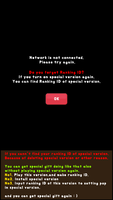
- Open Cash Knight and enjoy (ranking on some accounts can give an error)
DOWNLOAD LINK:
! Hidden Content !
You must be registered and either click Like under this post or leave a comment before you can see the hidden links.
You may need to refresh the page after clicking Like. If you’re still having trouble revealing the hidden links, please
read this.
Did you know? VIP Members can see all links instantly, no unlocking required.
Interested? Get VIP here.
Interested? Get VIP here.
Last edited: